Getting Started
Learn how to use collections in Blutui
Collections are the primary method for managing structured data within Blutui. They allow you to define reusable data schemas using a wide range of field types. This makes it easy to create dynamic, flexible content such as staff profiles, product listings etc that can be managed directly from the dashboard without touching code.
Creating your first collection
-
Open your project from the Blutui Agency Console.
-
Navigate to Collections in the sidebar.
-
Click Create collection to start a new one.
Define your fields
When creating a collection, you must define the fields that will hold your content data.
Each field requires a Display Name (label) and a Attribute Name (used in code).
For this example, we will create a Staff collection with the following fields:
| Field | Display Name | Attribute Name |
|---|---|---|
| Text | Name | name |
| Text Area | Biography | bio |
| Image | Photo | photo |
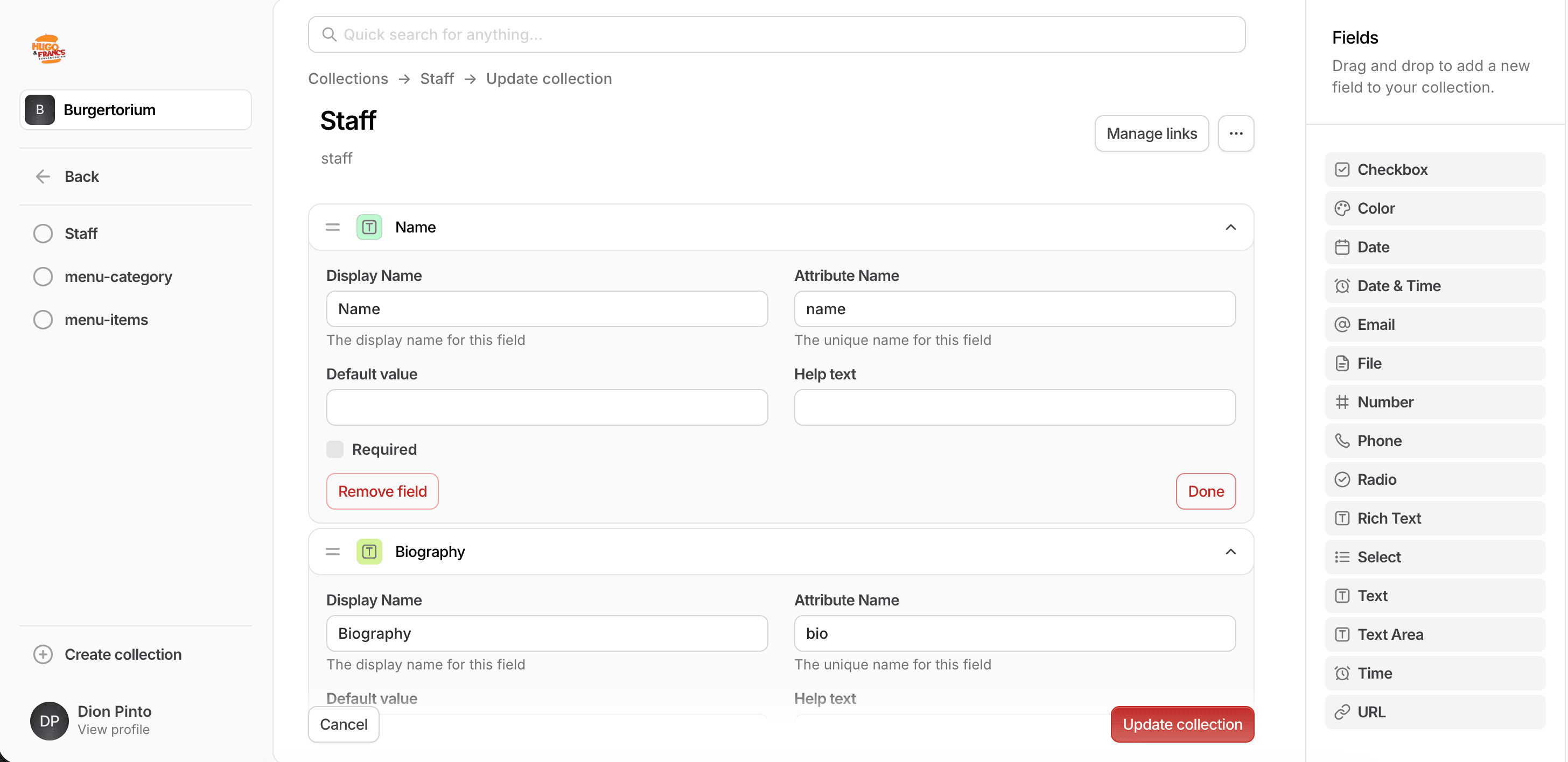
The Attribute Name is used in your code to reference the field.
Create a Canvas template for your collection
Once your collection is set up, you can display it on your site using a Canvas template.
- Inside your project’s views directory, create a new folder called components (if it doesn’t already exist).
- Inside it, create a file named staff.canvas.
Your file structure should look like this:
views/
└── components/
    └── staff.canvas
add the following Canvas code
{% set collection = cms.collection('staff') %}

{% for entry in collection %}
  <div>
    <img src="{{ entry.photo }}" alt="{{ entry.name }}" />
    <h2>{{ entry.name }}</h2>
    {{ entry.bio | raw }}
  </div>
{% endfor %}
This code:
- Retrieves the staff collection and assigns it to a variable.
- Loops through each entry in the collection.
- Renders the photo, name, and bio for each item.
Include your collection template in a page
To display the collection on your page, include your new component in a page or layout template using
{% include 'components/staff.html' %}This will render all the entries from your staff collection.